Wholesale Supplies for Your Business

Thermal labels, till rolls, packaging, office supplies and more at competitive prices.

Trade Prices

Great Value

Wide Range

1000+ Products

UK Supplier

Proudly UK Based

Reliable Delivery

Trusted Couriers

Labels, Till Rolls & Packaging Supplies

Quality products at competitive trade prices.

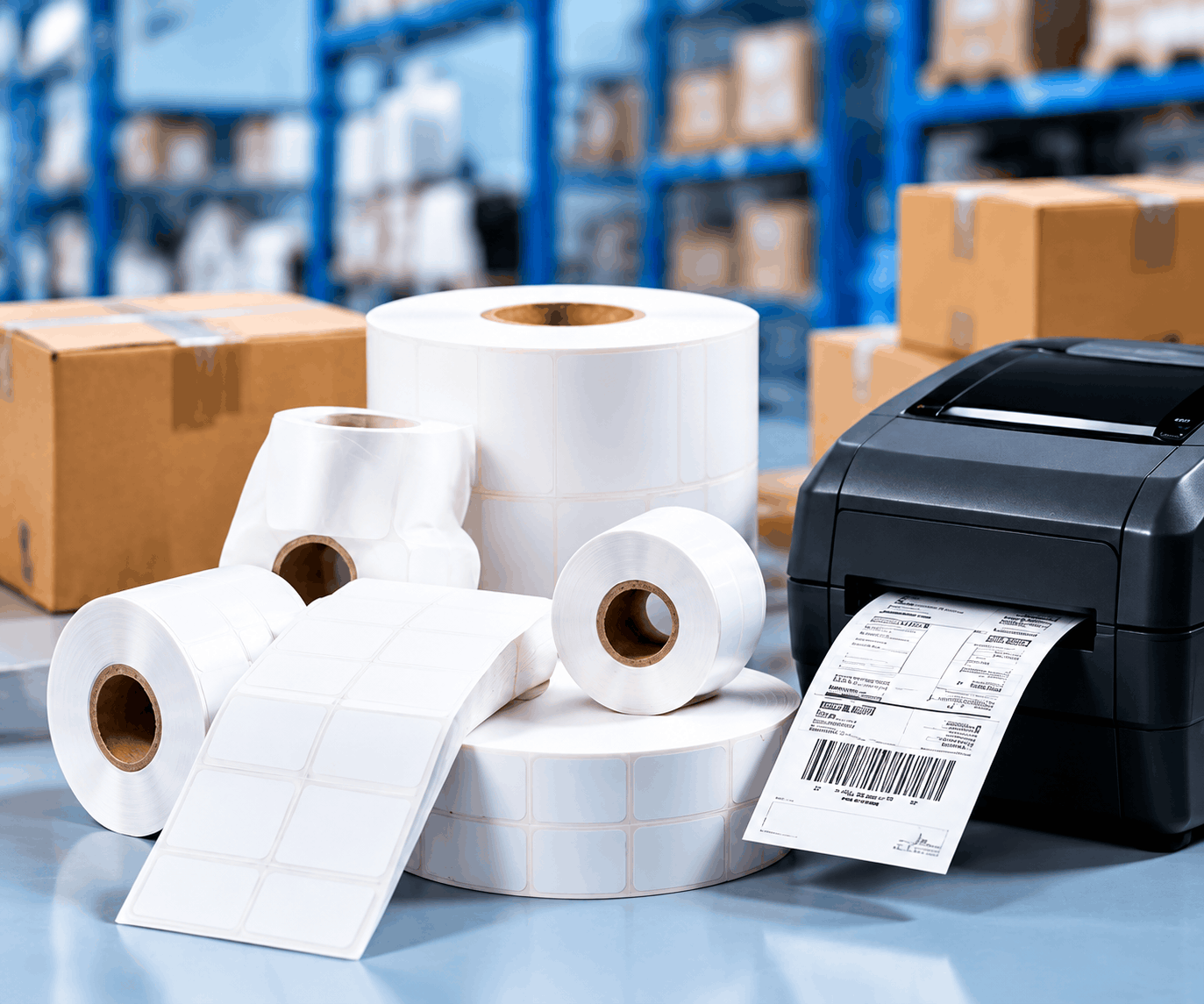
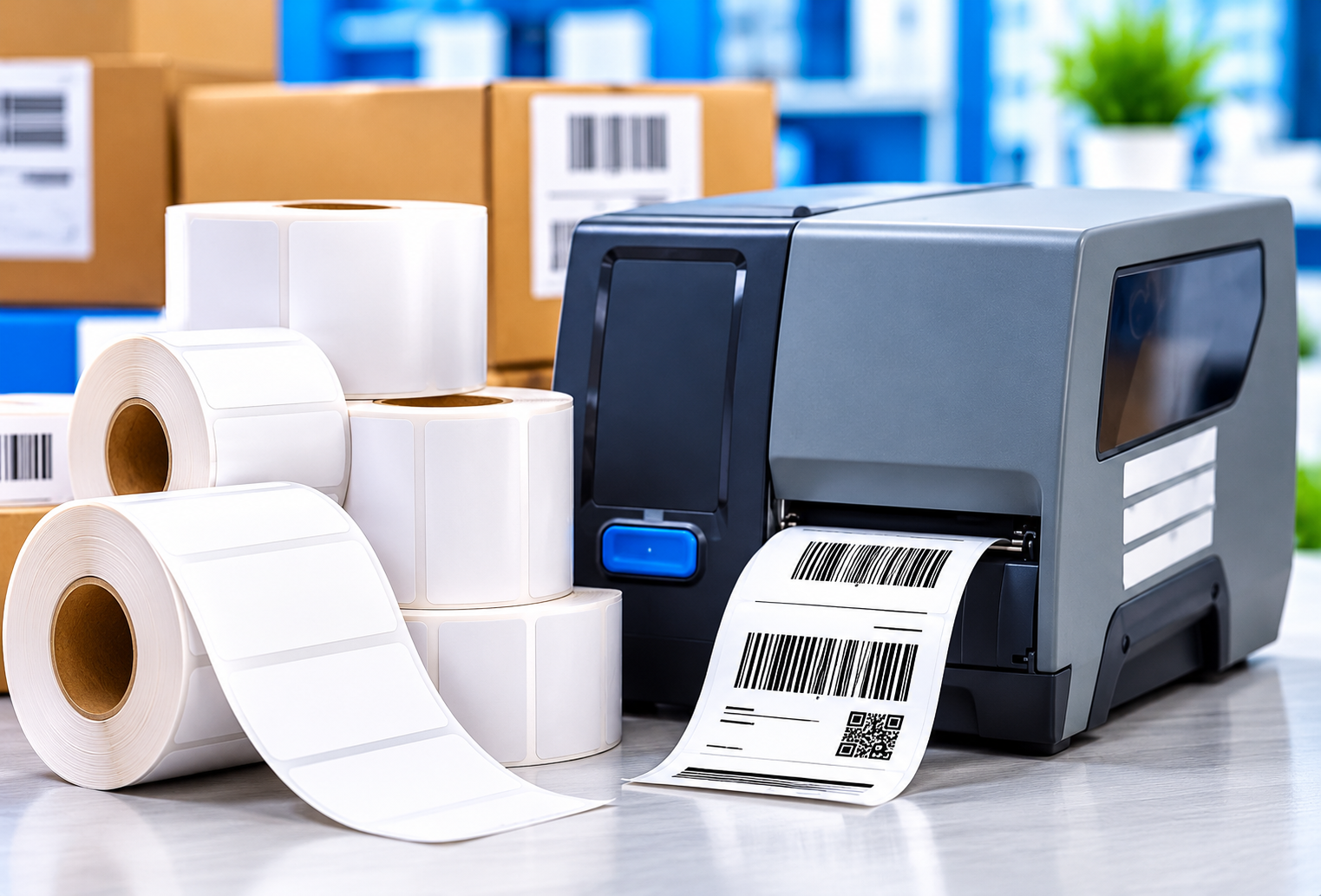
4 x 8 Direct Thermal Shipping Labels 900 Pack

£15.45
ADD TO BASKET

100 Custom Printed Clear Packaging Tape Rolls 1 Colour

£149.99
ADD TO BASKET

100 Custom Printed Packaging Tape Rolls 3 Colour

£189.99
ADD TO BASKET

100 Custom Printed Packaging Tape Rolls 2 Colour

£174.99
ADD TO BASKET

Car Trim Removal Tool Kit 4 Piece Plastic Pry Set

£1.75
ADD TO BASKET

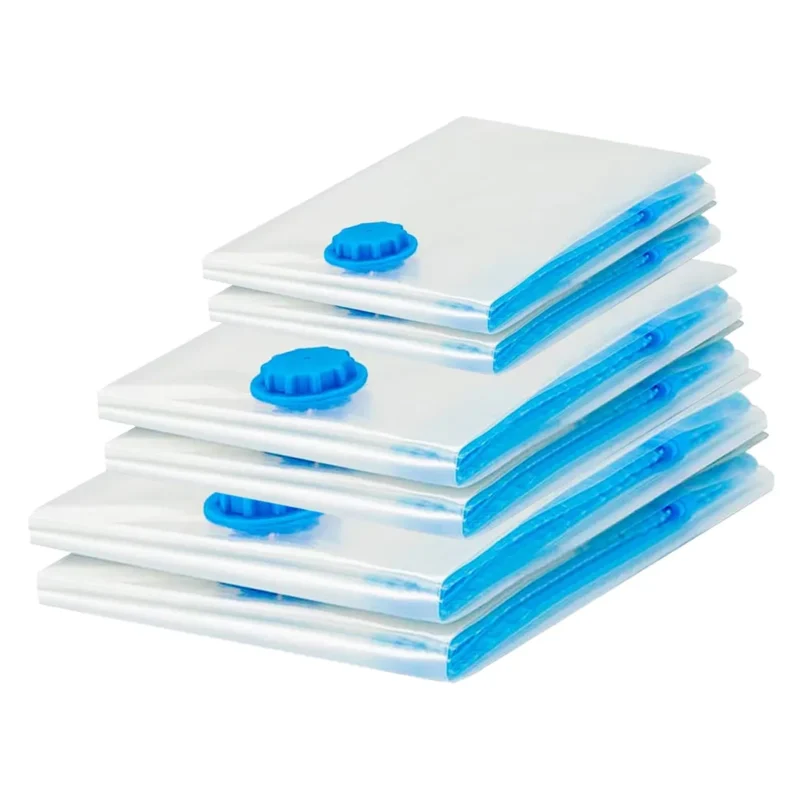
Protect and Store Mixed Vacuum Storage Bags 10 Piece Set

£9.95
ADD TO BASKET

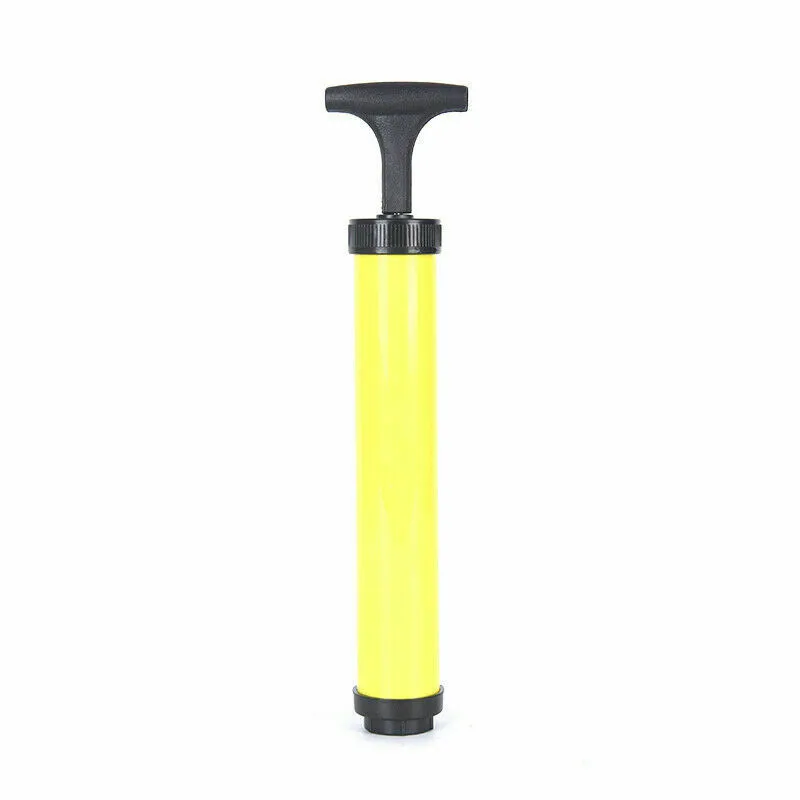
Vacuum Storage Bag Space Saving Hand Pump

£3.95
ADD TO BASKET

Car Radio and Trim Removal Tool Kit 12 Piece Pry Set

£2.45
ADD TO BASKET
Home 91

Buy More, Save More

Take advantage of our competitive trade prices on popular products.

Home 93
Avartek Wholesale

Reliable wholesale supplier of labels, packaging, office and more.

Home 93
Avartek Sourcing

End-to-end sourcing from China for your business.

Home 93
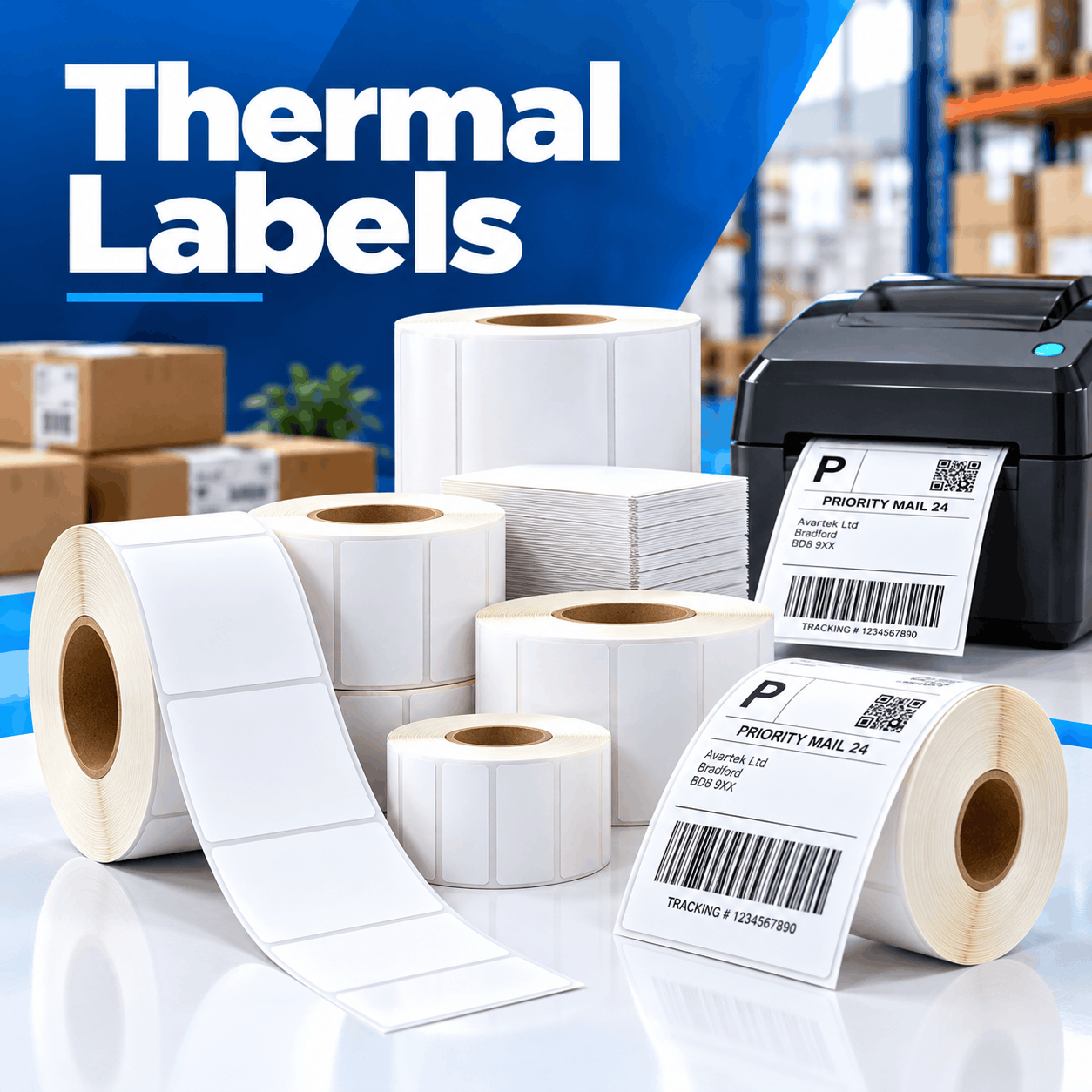
Thermal Labels

High quality thermal labels compatible with leading printers.

Home 99
Trade & Bulk Orders

Competitive pricing for businesses and large volume orders.

Home 101

Reviews

LATEST NEWS & INSIGHTS

Our Blog

Stay up to date with the latest news, product guides and sourcing insights from our team.

How to Choose the Right Thermal Labels for Your Business
Why Sourcing from China Can Help Your Business Grow
The Benefits of Custom Printed Packaging Tape
AVARTEK SOURCING

Product Importing & Sourcing Specialists

From supplier search to delivery, we manage the complete sourcing process to help your business get the best products at the right price.

Home 109

Find the Right Suppliers

Home 111

Negotiate Better Prices

Home 113

Quality Control & Inspections

Home 115

Sample Consolidation

Home 117

Brand Development

ABOUT AVARTEK WHOLESALE

Your Wholesale Supply Partner

Avartek Wholesale supplies a wide range of quality products for businesses, with a focus on packaging, labelling, office supplies, electrical accessories and more. Our aim is to provide reliable, high-quality products at competitive wholesale prices, with excellent service and support.

We work with trusted manufacturers to source products that meet the needs of our customers. Whether you are looking to order in bulk, require a specific product, or need help sourcing items from China, our experienced team can assist you from start to finish.

We offer bulk pricing across our product range, with flexible order quantities and fast UK delivery. Many of our products are available for next working day delivery, subject to stock and order time.

In addition to our standard product range, we also offer product sourcing services, helping businesses find and import products from trusted suppliers in China. Our team can support with supplier verification, price negotiation, factory audits, quality control, sample consolidation, UKCA/CE guidance and end-to-end logistics.

With over 15 years of experience in wholesale supply and product sourcing, Avartek Wholesale is committed to providing quality products, competitive pricing and reliable support for businesses of all sizes.

For any questions, please contact our Sales Team on 0845 8800355 or email sales@avartekwholesale.co.uk.

About Us

AVARTEK is a specialist retail and wholesale supplier offering an extensive range of products. Our goal is to offer customers the same quality as major brand names, but at a fraction of the price.

Since our inception, we have experienced rapid growth in demand, and we take pride in providing great quality products supported by exceptional customer service. We strive to be a cost effective and preferred supplier, whether for homeware products, electrical and cabling, office supplies, gardening, tools and more.

FREQUENTLY ASKED QUESTIONS

Common Questions Answered

Can’t find the answer you’re looking for?

Lorem ipsum dolor sit amet, consectetur adipiscing elit. Ut elit tellus, luctus nec ullamcorper mattis, pulvinar dapibus leo.

Lorem ipsum dolor sit amet, consectetur adipiscing elit. Ut elit tellus, luctus nec ullamcorper mattis, pulvinar dapibus leo.

Lorem ipsum dolor sit amet, consectetur adipiscing elit. Ut elit tellus, luctus nec ullamcorper mattis, pulvinar dapibus leo.

Lorem ipsum dolor sit amet, consectetur adipiscing elit. Ut elit tellus, luctus nec ullamcorper mattis, pulvinar dapibus leo.

Lorem ipsum dolor sit amet, consectetur adipiscing elit. Ut elit tellus, luctus nec ullamcorper mattis, pulvinar dapibus leo.

Buying Guides & Expert Advice

Home 103
How to Choose the Right Thermal Labels for Your Business

When you rely on label printing every day, poorly sized labels, unreliable feeding and weak adhesion can slow down packing, filing, or stock management. However, a DYMO printer is designed to make these jobs easier.

Good quality DYMO labels need to match your printer and the tasks you want to carry out, whether that be printing address information, barcodes or parcel paperwork. Before you order replacement rolls, check the dimensions, printer model, adhesive, and intended use rather than choosing an option that looks compatible. Making those checks early can mean cleaner printing, less waste and a much more reliable labelling routine.

What Are DYMO Compatible Labels?

DYMO compatible labels are third-party labels manufactured to work with particular DYMO printer models and label formats. Rather than being produced by DYMO itself, they are designed around the dimensions and feeding requirements of supported machines.

If your business is already using older printers such as the LabelWriter 450, compatible rolls can provide a practical way to keep existing equipment supplied. Depending on the label reference, options may also be available for models including the 450 turbo, 450 duo and 450 twin turbo.

The printing method is another reason these labels are convenient. Many LabelWriter machines use direct thermal technology, where heat activates a coating within the label material. As a result, there is no separate ink cartridge or toner to replace. DYMO confirms that its LabelWriter range uses thermal printing for jobs including mailing and shipping.

That simplicity is useful when labels are being printed regularly throughout the working day. You can load a roll into the right machine and use it for individual labels or longer print runs without dealing with conventional printer consumables.

A broad selection of DYMO compatible labels is available for different labelling needs, including permanent white labels in different shapes and sizes.

Why Label Compatibility Should Come First

The most important detail on any replacement label is not its colour or quantity. It is whether it is designed for your particular printer.

A LabelWriter 450, for example, should be paired with a roll whose width, backing and format suit the machine. The same principle applies to a 450 Turbo, 450 Duo, 450 Twin Turbo and LabelWriter 4XL. Although several machines belong to the same wider LabelWriter family, that doesn’t mean every roll suits every model.

DYMO’s compatibility information shows that label types and printer models must be matched carefully, and current software support still distinguishes between the 450 series, 4XL, and newer 5-series machines.

There is an especially important distinction for anyone buying compatible stock. DYMO states that its current LabelWriter Series 5 machines only work with authentic DYMO LW labels. Businesses using older LabelWriter 450 series equipment therefore should not assume that compatible DYMO labels intended for these machines will also operate in a newer 550, 550 Turbo or 5XL.

Check the exact model number before placing an order. That small step is far easier than discovering that several boxes of labels are the wrong fit after they arrive.

Choosing the Right Label Size for the Job

Once printer compatibility is confirmed, think about what actually needs to appear on each label. Bigger is not automatically better.

Small address labels are useful for envelopes, return addresses, folders and compact packaging because they provide enough room for essential information without taking over the surface. A larger format makes more sense when barcodes, courier information or several address lines need to remain easy to scan.

For parcel processing, shipping labels generally require more usable print space. If the business relies on a LabelWriter 4XL, for example, its wider print format was specifically designed to handle larger labels, including 4 x 6-inch shipping formats.

Smaller desktop models serve a different purpose. The LabelWriter 450, 450 Turbo and 450 Duo are commonly associated with narrower LabelWriter rolls. DYMO’s own large shipping label products list compatibility across these machines as well as the 450 Twin Turbo, demonstrating how one LabelWriter family can accommodate different label applications when the correct dimensions are selected.

Think about both the information being printed and the surface receiving it. An oversized label on a small box can crease at the edges, while squeezing detailed information onto a label that is too small can make text and barcodes hard to read. The best choice is the perfect fit between printer, print area and application.

Practical Uses for DYMO Compatible Labels

The advantage of DYMO labels is that one printer can often support several day-to-day business tasks simply by changing the label format.

Shipping is an obvious example. Shipping labels can display recipient information, order references, barcodes and other dispatch details without sending an entire sheet through a desktop printer. For businesses processing regular online orders, printing labels individually can also reduce the unused spaces and wasted sheets associated with some conventional printing methods.

Elsewhere, a DYMO LabelWriter can be useful for organising stock, identifying boxes, marking files and producing return labels. Smaller formats are particularly useful when information needs to be clear without taking up much room.

The Twin Turbo arrangement is helpful where different label types are used regularly. DYMO describes the 450 Twin Turbo as having dual-roll capacity, allowing two rolls to remain available rather than repeatedly swapping stock. The 450 Duo takes a slightly different approach by supporting both LabelWriter rolls and D1 tapes.

That makes choosing the right format about workflow as much as dimensions. If a team prints parcel labels every hour but only produces filing labels occasionally, the most frequently used roll should be the one that is easiest to access.

Thermal Printing and Everyday Reliability

A major benefit of the DYMO LabelWriter range is its straightforward printing process. Direct thermal labels react to heat from the printhead, producing the required text or image without ink or toner.

For regular office and dispatch work, that removes one consumable from the process. There is no ink cartridge to discover is empty halfway through a batch of labels, and businesses can print only the number required rather than filling a sheet.

The LabelWriter 450 series was designed around this type of printing, including the 450 Turbo, 450 Duo and 450 Twin Turbo. The wider LabelWriter 4XL uses the same core approach for larger formats. DYMO also states that the 450 series can produce barcoded labels at 300 dpi, helping provide the clear output needed for common mailing tasks.

Label material still matters, though. Thermal labels are affected by excessive heat and unsuitable storage conditions, so spare rolls should be kept somewhere dry and away from strong heat sources or prolonged direct sunlight.

With sensible handling, compatible thermal labels can provide an efficient option for routine dispatch, inventory and identification tasks.

How to Get Clean, Professional Label Results

Even good DYMO labels can produce disappointing results if the printer, roll or print file is not set up correctly.

Start by checking that the roll sits properly within the machine and feeds straight through the mechanism. A LabelWriter 450 or 450 Turbo needs the label material to move consistently past the printhead. If the roll is poorly seated, print alignment can shift and information may appear too close to an edge.

The template matters as well. Match the document size to the physical label before printing a large batch, particularly when barcodes or small text are involved. Printing one test label first is usually more economical than discovering an alignment problem after fifty have been produced.

Adhesion also needs consideration. A strong adhesive is particularly useful on parcels, storage cartons and other surfaces where labels may experience handling during transport. Apply labels to a clean, dry area and press them down evenly, particularly around the edges.

Terms such as patented adhesive may appear in descriptions of particular branded label products, but they should not be treated as a general feature of every compatible roll. When comparing compatible stock, concentrate on the actual adhesive specification and whether it suits the surface and expected use.

Routine printer care helps too. Dust, adhesive residue and scraps of backing material around the feed path can gradually affect results. Keeping the DYMO LabelWriter clean can help maintain consistent printing and reduce avoidable feeding problems.

Finding a Sensible Supply for Regular Use

Businesses that print a few labels each month have very different needs from a warehouse or ecommerce operation processing orders throughout the day.

Before buying, estimate roughly how many DYMO labels are being used each week. Regular users may find that ordering several rolls together is more practical than repeatedly purchasing individual replacements. This is especially relevant where shipping labels form part of a daily dispatch process.

Consistency is equally valuable. Once a particular roll has been tested successfully with a LabelWriter 450, it can make sense to keep the product reference recorded so that future orders use the same size and specification. The same applies to a 450 Turbo or 450 Duo.

Businesses running a 450 Twin Turbo may want to keep both regularly used formats in stock because the machine’s dual-roll design is intended to reduce the need to change rolls between jobs.

It is also worth considering practical sustainability features rather than focusing only on the label itself. Correct sizing can reduce unnecessary material use, while reliable printing reduces labels being discarded because of poor alignment or unreadable output. Ordering sensible quantities can also reduce the frequency of replenishment.

For further background on choosing and using these products, the guide to DYMO compatible labels provides additional information on common applications and formats.

Buy DYMO Compatible Labels With Confidence

At Avartek, the aim is to make replacing everyday label supplies straightforward. Our range includes DYMO compatible labels in numerous dimensions and formats, including permanent white options for established DYMO LabelWriter machines, with product information clearly showing size, quantity and intended compatibility.

For businesses still getting reliable service from a LabelWriter 450, 450 Turbo, 450 Duo, 450 Twin Turbo or compatible older model, having the correct replacement rolls readily available helps keep mailing, stock management and dispatch moving without unnecessary interruptions.

Explore our range of DYMO compatible labels to compare the available sizes and find the right option for your printer and everyday labelling requirements.

Home 105
Why Sourcing from China Can Help Your Business Grow

If your business prints labels every day, speed, reliability, and cost are important. A slow printing process and poorly sized labels will create delays with orders waiting to leave your warehouse. Direct thermal labels offer a straightforward solution for applications that need labels produced quickly without managing printer ribbons, ink, or toner.

Direct thermal labels are used for shipping, inventory control, barcodes and short-term product identification. Choosing the right labels, however, means looking at the dimensions printed on the box, as printer compatibility, adhesive strength, storage conditions and the expected life of the printed information all affect how well a label performs.

What Are Direct Thermal Labels?

Direct Thermal Labels are made from heat-sensitive material. When the label passes underneath the printer’s thermal printhead, carefully controlled heat causes areas of the coating to darken, forming the required text, barcode or image.

This means the printer does not need a separate ink cartridge, toner cartridge or thermal ribbon. Zebra describes direct thermal technology as printing directly onto heat-sensitive media, which is one of the main reasons it is commonly used for applications requiring straightforward, on-demand label production.

If your business processes a large number of parcels or you find you are regularly printing new stock labels, removing consumables from the process will make your day-to-day labelling easier. Staff load the appropriate roll or fanfold stack into a compatible printer and can start producing labels as required.

The important distinction is that these labels are designed primarily for information that does not need to remain readable indefinitely. Shipping labels are a good example because they only need to perform reliably throughout the fulfilment and delivery process.

Why Businesses Choose Direct Thermal Printing

One of the main reasons people choose direct thermal labels is how simple they are to use. There is no ribbon to install alongside the label roll, which means fewer supplies need to be ordered, stored and replaced.

Print speed is another advantage. Direct thermal printers are well suited to producing barcodes, addresses, tracking information, and other variable data as needed. Instead of preparing large batches in advance, you can generate a label for each parcel, item or location during the normal workflow.

The lack of ink and toner can also reduce maintenance and supply issues associated with conventional printing. That does not mean direct thermal printers require no maintenance, but they involve fewer printing consumables in normal operation.

When Direct Thermal Labels Are the Right Choice

The best label depends on what you need it for. Direct thermal labels are suitable when the printed information is needed for a relatively short period. Parcel delivery labels, courier labels, temporary stock identification and internal inventory labels are all common examples.

If a shipping label only needs to survive the journey from a warehouse to a customer’s address, direct thermal printing is often well suited to the task. If the same label must remain attached and legible on a product stored outdoors for several years, you may need another printing method.

Heat and prolonged exposure to strong sunlight are important things to think about because direct thermal material remains sensitive to its surroundings after printing. Zebra advises that direct thermal labels are less suitable for applications involving extended exposure to heat or direct sunlight.

Matching the label technology to the actual application prevents businesses from paying for durability they do not require while avoiding labels that are unsuitable for tougher conditions.

Direct Thermal Labels Versus Thermal Transfer Labels

Although the names sound similar, direct thermal and thermal transfer printing work differently.

Direct thermal printing applies heat directly to specially coated label material. Thermal transfer printing heats a ribbon, transferring the printed image from that ribbon onto the label. The main difference is durability.

Thermal transfer is generally the stronger choice for labels expected to remain readable for extended periods or face challenging environments. Direct thermal printing works particularly well for shorter-life applications where simplicity and fast printing are more important.

For dispatch labels, temporary warehouse identification, and many barcode applications, Direct Thermal Labels can provide the required performance without introducing a ribbon into the printing process.

Choosing the Correct Label Size

Choose label dimensions based on what needs to fit on the label, not simply the largest format the printer accepts.

Shipping labels, for example, normally need enough space for the delivery address, barcode, tracking reference and courier information to remain clear. Smaller inventory labels may only need a short product code and barcode.

When it comes to printer compatibility, take note that the label width, roll diameter and core size can all determine whether a particular roll will physically fit the printer. Fanfold labels introduce another option, feeding into compatible printers from a stack rather than a roll.

A 100 × 150 mm format is commonly used for shipping, while smaller sizes such as 58 × 40 mm can suit barcode, stock and product identification applications. Current ranges also include 100 × 50 mm and other dimensions for businesses with different labelling requirements.

Checking both the printer model and required label dimensions before ordering can prevent unnecessary returns and dispatch interruptions.

Getting Better Print Quality From Your Labels

A barcode label only works properly if the information is readable. If printed text appears pale, inconsistent or difficult to scan, replacing the labels immediately is not always the answer. Printer settings and the condition of the printhead should also be checked.

Using the correct print darkness and speed settings for the chosen direct thermal Labels can improve results. Printing too lightly may leave fine barcode lines poorly defined, while excessive heat can make printed areas heavier than required.

Make sure to keep the printhead clean, as dust, adhesive residue and debris can interfere with contact between the printhead and label surface. Before printing hundreds of labels, it is worth producing a small test batch and scanning several barcodes. A few seconds of testing can prevent an entire dispatch run having to be printed again.

Making Sure Labels Stay Attached

You want your shipping labels to stay attached for the duration of the parcels journey. The surface receiving the label should therefore be clean, dry and reasonably smooth before application.

Dusty cardboard, oily surfaces, or condensation can all make it harder for an adhesive to form a secure bond. Applying labels firmly across the whole surface rather than pressing only the centre can also help.

For most cardboard cartons, packaging and general warehouse applications, a permanent adhesive is normally appropriate. Several common Direct Thermal Labels are manufactured with permanent adhesive specifically for shipping, barcode and product labelling applications.

Storing Direct Thermal Labels Properly

How unused labels are stored can have a direct effect on future performance. Because direct thermal material reacts to heat, rolls should not be left beside radiators, heaters, sunny windows or other sources of high temperatures. Keep your stock away from direct sunlight.

A clean, dry storage area also helps protect the adhesive and label surface before printing. Labels left exposed in a dusty warehouse can collect contamination along their edges, while excessive moisture may affect both the label material and adhesive.

Stock rotation is another simple improvement. Rather than repeatedly using newly delivered boxes first, businesses can work through older stock before opening newer supplies.

The same care should continue after printing when information needs to remain readable for a reasonable period. Direct thermal material can gradually fade or darken following unsuitable exposure to heat, sunlight or chemicals, so important long-term identification may require a more durable alternative.

Direct Thermal Labels for Dispatch and Inventory

Dispatch is one area where Direct Thermal Labels make particular sense. Addresses and tracking information change for every order, so labels need to be generated quickly as each parcel moves through fulfilment. Standard shipping formats can provide enough space for barcodes and delivery information while allowing staff to peel and apply each label immediately.

For busier operations, fanfold thermal labels can also be worth considering. Rather than being wound around a roll, labels are supplied as a continuous folded stack. Some businesses prefer this arrangement for higher-volume printing because larger stacks can reduce how often media needs replacing.

Inventory applications can use smaller formats where appropriate. Barcodes, shelf locations, product references and temporary stock identification rarely require a full shipping-sized label, making compact Direct Thermal Labels a more economical option.

The most efficient approach is often to standardise a small number of label sizes around specific jobs. Doing so makes stock control easier and reduces the chance of the wrong media being loaded into a printer during a busy shift.

Order Direct Thermal Labels From Avartek

At Avartek, we supply Direct Thermal Labels in a range of sizes and formats for shipping, inventory, barcode and general product labelling.

We stock options compatible with widely used printers from brands including Zebra, Toshiba, Citizen and other direct thermal printer manufacturers, helping customers find labels that suit the equipment they already use.

Choosing suitable labels is about more than price. Size, printer compatibility, adhesive and the environment in which the label will be used all matter. Our range of thermal labels and rolls gives businesses practical options for everything from everyday dispatch to stock identification.

Explore our thermal label range to find the right size and format for your printer, or contact us if you need help narrowing down the available options.

Home 107
The Benefits of Custom Printed Packaging Tape

Choosing the correct labels for your printer is an important part of keeping your labelling process running smoothly. Whether you are printing warehouse stock labels, courier information, retail pricing labels or product identification, the media you choose can affect print quality, efficiency and overall running costs.

If your business uses Godex printers, you’ll want reliable, compatible options that work with your existing equipment without costing you too much. However, finding the right labels means thinking about the printing method, label material, core size, and intended use.

Choosing the right option will help your business get more from your label printers. But first, you have to understand the differences in order to make buying labels easier and to avoid common problems such as poor feeding, unclear printing, or unsuitable adhesive.

What Are Godex Labels?

Godex Labels are designed to work with GoDEX label printers, giving your business a reliable way to print product information, barcodes, shipping details, and other important data. The term covers a wide range of label types, including direct thermal labels and labels designed for thermal transfer printing.

Many Godex printers are used in environments where accurate label printing is essential. Warehouses, retail businesses, manufacturers and laboratories all rely on dependable labels to keep products identified and processes organised.

The required label type depends on the printer setup and the application. Some businesses need simple paper labels for short-term use, while others require stronger label materials that can withstand more demanding conditions.

For example, if your business prints product information or internal stock references, you may choose direct thermal labels because they offer a straightforward, ribbon-free printing solution. Others may need thermal transfer labels when the printed information must remain readable longer.

Which Godex Printers Do Compatible Labels Work With?

One advantage of choosing compatible labels is that they work across a wide range of Godex printers, from compact desktop models to larger commercial units.

The Godex range includes printers for different working environments, including desktop printers for smaller businesses and mobile printers for use away from a fixed workstation. Many models support compatible label options, provided you select the correct specifications.

When choosing labels, businesses should always check the printer requirements rather than assuming every roll will fit. A suitable label should match the printer’s width capacity, roll format and printing technology.

For smaller offices or retail counters, desktop printers are often used to produce barcode labels, stock labels, and product information. In logistics or field-based applications, mobile printers provide flexibility when labels need to be created closer to where products are handled.

The main thing is making sure the labels are fully compatible with the printer being used. This helps prevent wasted rolls, feeding issues and unnecessary adjustments.

Direct Thermal or Thermal Transfer: Choosing the Right Label Type

Choosing between direct thermal and thermal transfer printing is one of the most important decisions when buying labels for Godex printers. Direct thermal labels use a heat-sensitive surface that reacts as it passes through the printer. This creates the printed image without needing ink or a ribbon.

Direct thermal labels offer a practical, cost-effective solution for applications where labels only need to remain readable for a limited time. They are commonly used for deliveries, stock management and temporary identification.

Thermal transfer printing works differently because it uses thermal transfer ribbons to transfer the image onto the label surface. This method is often chosen when labels need extra durability or must withstand more challenging conditions.

The best choice depends on the environment and purpose. A parcel label may only need to last until delivery, while a warehouse identification label may need to remain readable for much longer. When selecting Godex Labels, businesses should consider where the label will be used, how long it needs to last and whether it may be exposed to heat, moisture or frequent handling.

Getting the Size, Core and Gap Right

A common mistake people make when ordering labels is focusing only on the measurements printed on the product description. The label size needs to match both the printer and the information being printed. A label that is too small may not provide enough room for a barcode, while a larger label than necessary could increase costs.

The core size is another important consideration. The core is the inside section of the roll that fits onto the printer holder. Choosing the incorrect core size can affect how smoothly labels feed through the machine.

You should also consider the label gap. This helps the printer identify where one label ends and another begins, allowing accurate positioning during printing. Taking time to confirm these details before ordering Godex printer labels can prevent delays and avoid wasted materials.

Godex Shipping Labels for Royal Mail, DPD, Evri and Other Couriers

Courier labelling is one of the most common uses for Godex printers. Businesses processing online orders need reliable shipping labels that print clearly and remain attached throughout handling and delivery.

In many dispatch environments, direct thermal labels are a popular choice because they let businesses print quickly without managing ribbons or additional consumables.

Whether labels are being created for Royal Mail, DPD, Evri or other delivery providers, the priority is clear information and reliable scanning. A barcode that doesn’t print correctly can create unnecessary delays in the delivery process.

Larger formats are often preferred for shipping because they provide enough space for addresses, tracking information and courier barcodes. Choosing the right label size helps keep everything easy to read. For businesses sending regular orders, keeping suitable Godex Labels available helps keep the fulfilment process running smoothly.

Labels for Retail, Food Businesses and Warehouses

Different industries require different label types, so choosing the right label materials is important. Retail businesses may use Godex printers for pricing labels, product identification and inventory management. These applications often require clear, consistent printing that can be produced quickly.

Food businesses may require specific label solutions depending on the product and environment. For some applications, BPA-free materials may be preferred where suitable label materials are required.

Warehouses often need durable barcode identification, location labels, and stock-tracking solutions. In these environments, the right combination of printer, label material, and adhesive can make daily operations much easier.

Laboratories and healthcare environments may also use label printers to identify samples and test tubes, where accurate information is essential.

Why Compatible Godex Labels Make Sense for UK Businesses

Compatible Godex Labels can provide businesses with a practical alternative to manufacturer-specific supplies.

For companies using label printers every day, ongoing label costs can add up quickly. Choosing a reliable compatible option can provide a low-cost alternative while still delivering the performance needed for regular printing.

The important factor is quality. Suitable compatible labels should provide clear printing, reliable feeding and strong adhesion when used correctly. You should avoid selecting labels based purely on price. The cheapest option may not always provide the reliability required for busy working environments.

Choosing labels fully compatible with existing equipment helps businesses maintain efficiency while managing operating costs.

What We Have Learned From Supplying Label Rolls

One of the biggest lessons we’ve learned when supplying label rolls is that every business has different requirements.

Some customers need high-volume courier labels, while others require smaller formats for retail products, warehouse locations or test tubes. The right solution depends on how the labels will actually be used.

A common issue is businesses ordering labels before checking printer specifications. Something as simple as the wrong label size, core format or printing method can cause unnecessary frustration.

We have also found that businesses often underestimate the importance of choosing suitable label materials. The environment where a label is used can make a significant difference to performance.

Taking time to understand your printer and application before ordering usually results in better long-term value.

Loading and Calibrating Your Labels Without the Headaches

Even the right labels need to be installed correctly to achieve reliable results. When loading rolls into Godex printers, businesses should ensure the labels are positioned correctly and that the printer settings match the label format being used.

Calibration allows the printer to recognise the label gaps and position information accurately. This is especially important when printing barcode labels, where precise positioning helps maintain scanning reliability.

If businesses switch between different label types or sizes, checking settings before printing can prevent wasted rolls. If your business uses desktop printers or mobile printers, keeping the printing process simple and consistent helps staff produce labels quickly without unnecessary interruptions.

Buying Godex Compatible Labels in Bulk from Avartek

At Avartek, we supply compatible label solutions for businesses using Godex printers, helping customers find products that match their printing needs.

Our range includes options for direct thermal labels, thermal transfer applications and different label printers, giving businesses flexibility when choosing their preferred setup. With experience supplying thermal products, we understand that businesses need more than just a label roll. The right size, material, and compatibility all play a role in reliable label printing.

Customers looking for Godex Labels can choose from options designed for different applications, including warehouse identification, courier shipping labels, retail requirements and specialist uses such as test tubes.

For businesses that regularly need labels, ordering in larger quantities can be more convenient and cost-effective, helping maintain stock levels while reducing the risk of running out during busy periods.

We help customers discuss their requirements and find labels that match their printer, application and workflow. With a focus on quality, compatibility and fast shipping, businesses can keep their Godex printers running efficiently with labels they can rely on.


Why Choose Avartek Wholesale

Avartek is a specialist wholesale supplier offering an extensive range of products for your business. We pride ourselves on competitive prices, fast dispatch and excellent customer service.